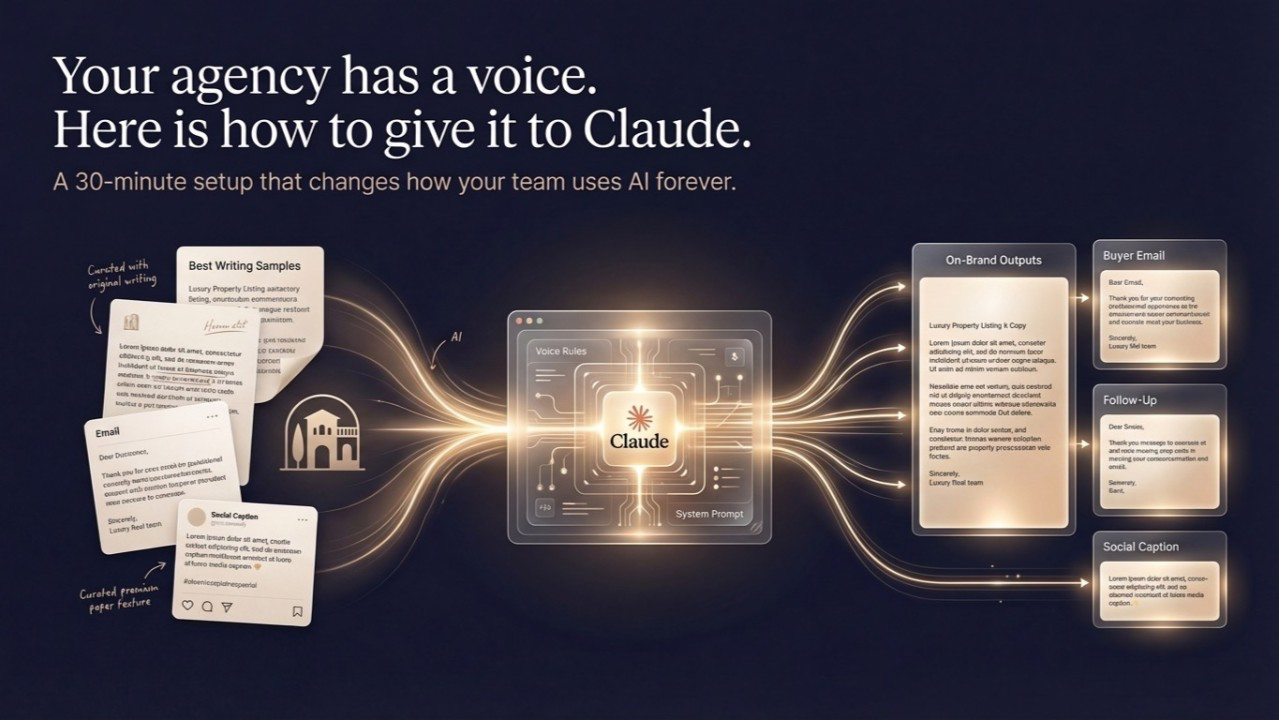
Your agency has a voice. Here is how to give it to Claude.
A 30-minute setup that changes how your team uses AI forever.
The single biggest complaint agency founders have after trying AI for writing tasks is: "It does not sound like us."
They are right. Out of the box, Claude and ChatGPT sound like polished corporate prose. That is not your agency's voice if your voice is warm and direct, or measured and sophisticated, or deliberately understated.
The solution takes about 30 minutes and you only do it once. The result is that every piece of writing your team generates with AI — listing copy, buyer emails, follow-ups, social captions — starts from a foundation that sounds like you.
Here is how to do it.
Step 1: Collect 5–7 pieces of writing that represent your voice at its best (10 minutes)
Do not use drafts. Use sent emails, published listings, posts you have written personally, or anything your best writer produced. Pick pieces where you read them back and think: yes, that is how we talk.
You need a minimum of 5 pieces. 7–10 is better. They do not all need to be the same format — mix listings, emails, and a LinkedIn post if you have one.
Step 2: Build your voice document (10 minutes)
Create a Google Doc or plain text file. Paste in all 5–7 pieces under the heading: "Examples of our writing at its best."
Then add three short sections below the examples:
What we always do: (e.g., "We lead with the lifestyle, never the specs. We use short sentences. We write to the person, not the market.")
What we never do: (e.g., "We never use the words stunning, breathtaking, exclusive, or unique. We do not use exclamation marks. We do not list features like a brochure.")
Our reader: (One sentence describing who you are writing to — not a demographic, a person. "Our reader is a 45-year-old founder who has bought property before, knows what they want, and has no patience for hype.")
Step 3: Set up your system prompt in Claude (10 minutes)
Open Claude. Start a new project (in Claude.ai, use the Projects feature so the context is preserved across conversations).
At the top of the project, paste the following as your system prompt — adapted with your information:
"You are a writing assistant for \[Agency Name\], a boutique luxury real estate agency based in \[city\], Spain. We specialize in \[market focus, e.g., residential properties above €2M in the Balearic Islands\]. Below are examples of our writing style, followed by our voice guidelines. When I ask you to write anything — listing copy, emails, social posts — write in this voice, at this level of quality, for our typical reader: \[one-sentence reader description\].
Our writing examples: \[paste your 5–7 examples here\]*
What we always do: \[paste your list\]*
What we never do: \[paste your list\]*
Never deviate from these guidelines unless I explicitly ask you to."

That is the setup. From this point forward, every writing request you give Claude in this project starts from your voice, not from a generic default.
What this changes in practice:
Before this setup: you give Claude a prompt, get something generic, spend 20 minutes editing it to sound like you.
After this setup: you give Claude a prompt, get something 80% in your voice, spend 5 minutes refining the remaining 20%.
For a team of 6 agents, this saves between 8 and 12 hours of editing per week — depending on how much content you produce.
The only ongoing maintenance required: when you write something you are proud of, add it to the examples. The voice document improves over time.
If you'd like it - We can implement this in less than 30 min, and completely change the way how you interact with AI.
You can start with the Nücode Scorecard at /scorecard, then request an Architecture Session if your result qualifies.